 Live Camera
1.5 or 3 seconds
Pick how much of the moment to keep. The clip is centred on the shutter press, not started by it.
Live Photos for Android
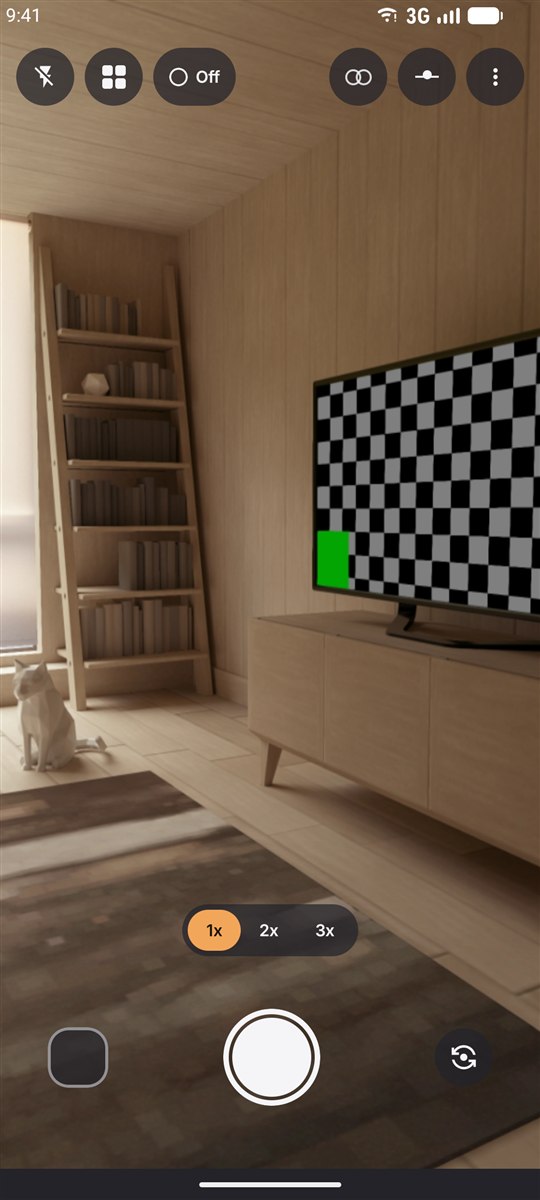
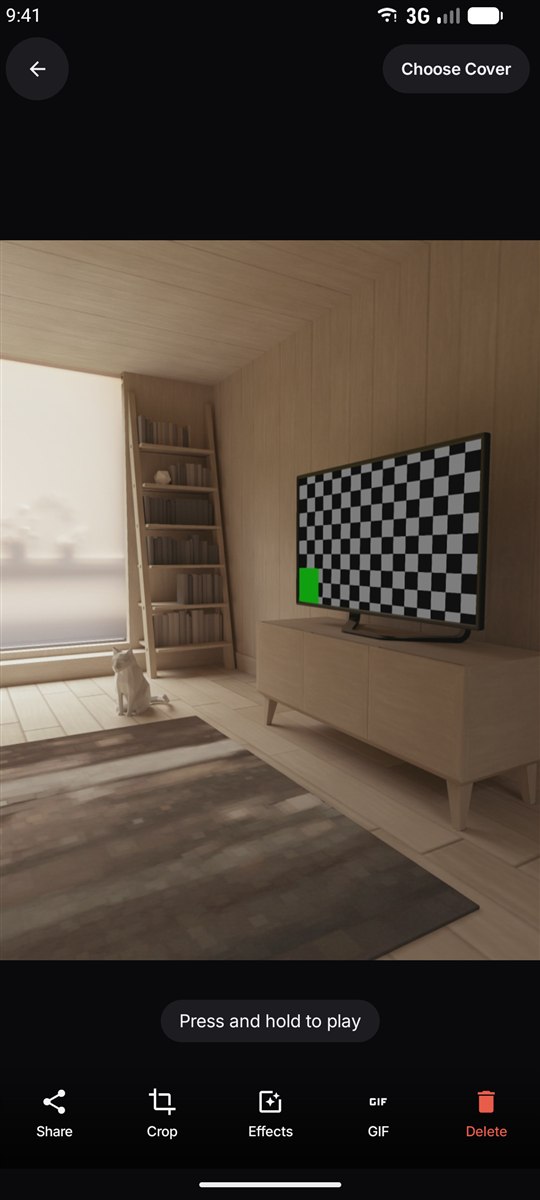
Live Camera records the second and a half around every shot — before the shutter and after. Press and hold the photo later and the moment plays back, sound and all.
The short version
A Live Photo is an ordinary still image with a short video welded to it. You get a photo you can print, crop and post like any other — and a moving version of the same moment underneath it.
Apple shipped the idea on the iPhone in 2015 and called it Live Photo. Google's equivalent is called Motion Photo, and it appears in the stock camera app on Pixel and Samsung Galaxy phones. Android has never had it as a system-wide feature, which is why a phone from Xiaomi, OPPO, realme or Motorola often can't do it at all.
Live Camera adds it to any Android phone, and — this is the part most third-party apps get wrong — it saves the result in Google's own Motion Photo format instead of dumping a separate video file next to the picture. The difference between the two formats is what decides whether your photo still moves after you send it to someone.
How it works
No mode to hunt for and nothing to switch on. Every photo Live Camera takes is a Live Photo.
The app is already recording. It keeps the moment either side of the press, so the expression you missed by half a second is still in there.
In the gallery or on the photo itself, hold your finger down and the clip plays. Let go and it settles back into a still.
What you get
Pick how much of the moment to keep. The clip is centred on the shutter press, not started by it.
Written as a Motion Photo, so the movement survives outside this app — no plugin, no export step.
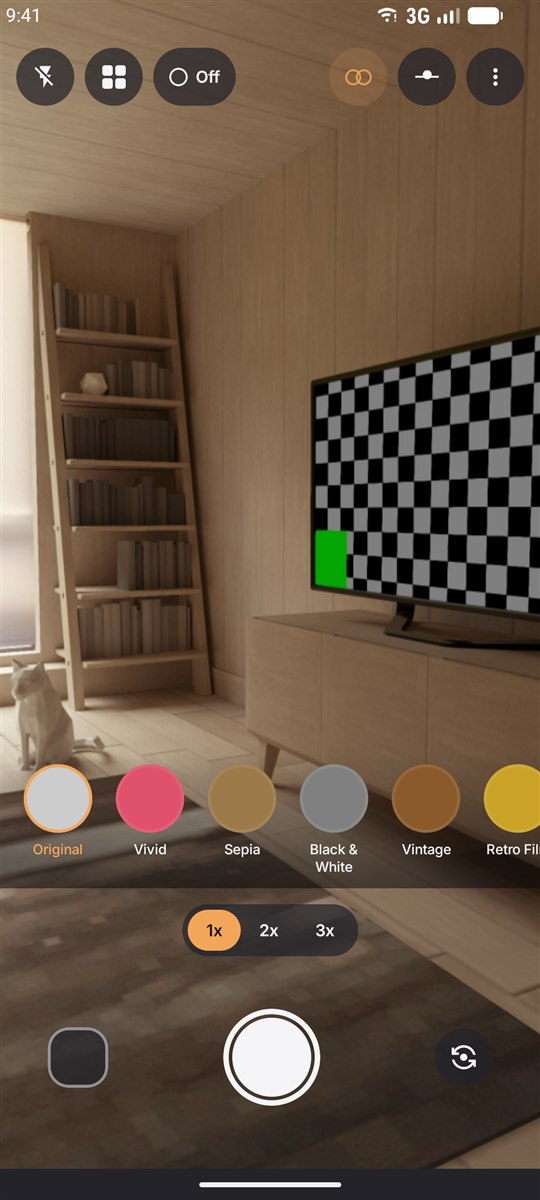
Vintage, Noir, Cinematic and the rest are applied to the video too — not just to the frame you see.
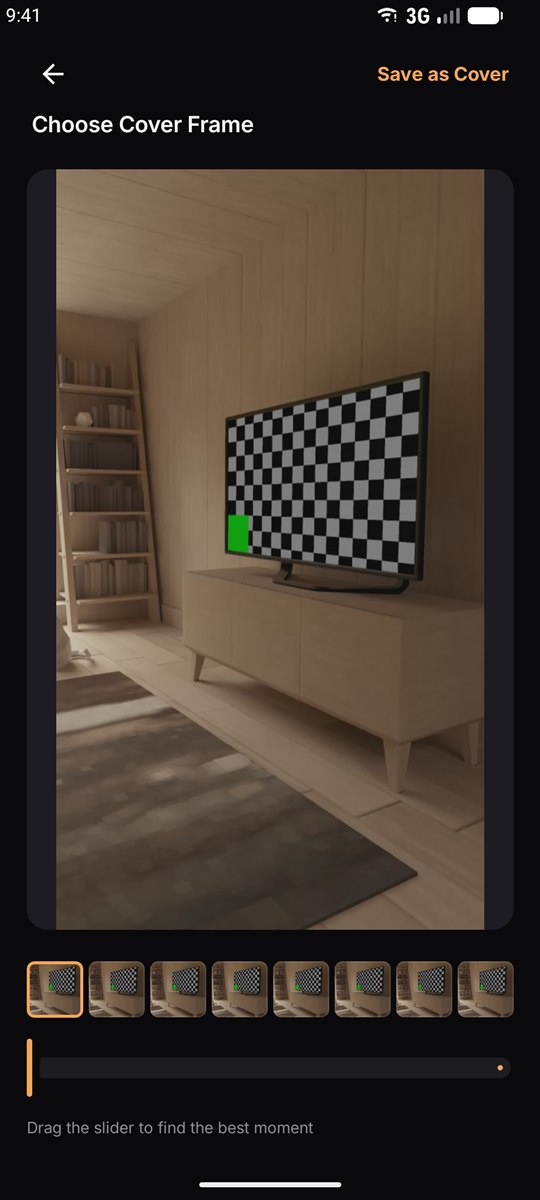
Scrub back through the clip and promote any frame to be the photo everyone sees.
For everywhere that still doesn't speak Motion Photo — chats, forums, anywhere a GIF just works.
Photos and clips are processed on the device. There is no account to make and nothing is uploaded.
Compared
If you own a recent Pixel or Galaxy, you already have something similar. Here is where the two differ.
| Built-in Motion Photo | Live Camera | |
|---|---|---|
| Which phones | Pixel and Samsung Galaxy, plus a few others | Any phone on Android 7.0 or newer |
| Clip length | Fixed by the manufacturer | 1.5 or 3 seconds, your choice |
| Filters | Applied to the still only, if at all | Ten looks, applied to the still and the motion |
| Change the cover frame | On some models | Yes, scrub and pick any frame |
| Export as GIF | No | Yes, one tap |
| File format | Google Motion Photo | Google Motion Photo |
In the app
Questions
Android has no system-wide Live Photo feature. Samsung and Pixel phones ship a similar feature called Motion Photo in their own camera apps, and other phones have nothing at all. Live Camera adds the capability to any Android phone running Android 7.0 or later and writes the result in Google's Motion Photo format, so other gallery apps can play it too.
Live Photo is Apple's name for the format; Motion Photo is Google's. Both pair a still image with a short video, but they store it differently. An iPhone keeps a HEIC image next to a separate MOV file, while a Motion Photo embeds the video inside the JPEG itself and describes it with XMP metadata. Live Camera writes the Motion Photo format, which is what Android gallery apps read. The long answer is here.
Yes. Because the clip is embedded inside the JPEG as a Motion Photo rather than saved as a separate video file, Google Photos, the Pixel gallery and Samsung Gallery recognise it and play it without the app being installed.
1.5 seconds by default, split around the moment you press the shutter, so roughly half of it is before the press. You can switch to 3 seconds in Settings.
Yes, if you leave sound recording on in Settings. The clip plays with its audio when you press and hold a photo in the app; the gallery grid always stays silent, so scrolling never makes a noise.
Yes. Open any Live Photo and tap GIF to export it as a looping animated GIF saved to your gallery, ready to send anywhere that does not understand Motion Photos. Step by step here.
Partly. An iPhone stores a Live Photo as two files — a HEIC still and a MOV clip. Send it to an Android phone and you usually receive the still only, because most transfer paths drop the second file. If you copy both files over manually you can view them, but they arrive as an unrelated photo and video rather than as one moving photo.
Capturing and replaying Live Photos is free and ad-supported. An optional weekly subscription removes the ads and unlocks the premium filters and GIF export.
Any phone running Android 7.0 (Nougat) or newer with a working camera — Samsung Galaxy, Google Pixel, Xiaomi, Redmi, OPPO, vivo, realme, Motorola, Nothing, Honor and the rest.
Free to download, works on any Android phone from 7.0 up, and every shot you take from then on keeps its moment.
Get it on Google Play